Cyber Security for a Small Business in Germany: The Basics
Short answer: A handful of measures give a small business most of its protection: two-factor login for email and banking, automatic updates, an offline backup that has been tested, separate admin accounts and a printed emergency sheet. Most small firms are not directly covered by Germany's NIS2 rules. The CyberRisikoCheck under DIN SPEC 27076 is a structured starting point.
A typical attack on a small firm is boring to look at. An email from a “parcel service”, a link, a login page that looks exactly like Microsoft’s. Three days later someone writes from the owner’s real mailbox to the bookkeeper and asks for an urgent transfer.
No expensive firewall stops that. A few basic habits do, and most of them cost little and take an afternoon. This page ranks them by impact, with the German rules and Berlin contacts you need along the way.
Does NIS2 apply to me?
It is a fair question. Germany’s implementation of the EU NIS2 directive is in force and the BSI Act has been rewritten. The BSI, Germany’s Federal Office for Information Security, notes on its website that the legal registration deadline for affected companies has already passed.
For most small Berlin businesses the answer is still: not directly. Under section 28 of the BSI Act, an “important entity” works in one of the sectors listed in the annexes and has at least 50 employees, or annual turnover and balance sheet each above 10 million euros.
| Criterion | Directly affected | Indirectly possible |
|---|---|---|
| Café with 6 staff | ||
| IT provider with 15 staff serving medical practices | yes, via contracts | |
| Logistics firm with 60 staff | check | |
| Trades business supplying an energy utility | yes, via contracts |
Source: Section 28 BSIG; examples for illustration, confirm with the BSI's NIS-2 check
You can still feel it indirectly. Covered companies must manage supply-chain risk and pass requirements on to their providers, often through contracts or questionnaires. If your clients are in energy, health or logistics, expect those questions. Separately, Article 32 GDPR requires every business that handles personal data to take appropriate technical and organisational measures.
Ten measures with the biggest effect
The order reflects effort versus benefit. You can do the first four in an afternoon.
- Two-factor login for email, online banking, cloud storage and bookkeeping
- Automatic updates for operating systems, browsers, till and office software
- A password manager instead of sticky notes and reused passwords
- Separate accounts: nobody works day to day with admin rights
- 3-2-1 backups: three copies, two media, one offsite or offline
- Test a restore once a quarter
- Guest Wi-Fi separated from the network with tills and computers
- Confirm payments to new bank details by calling a known number
- Remove departing staff from every account on their last day
- Printed emergency sheet with phone numbers at every workstation
Item eight sounds trivial and matters a lot. In invoice fraud, someone changes a real supplier’s bank details by email. A call to the number you already have, not the one in the email, stops it.
Backups deserve a closer look. A backup drive permanently plugged into the computer gets encrypted along with everything else. A drive you unplug after each run, or a versioned cloud backup that can’t simply be deleted, survives. A backup you have never restored from is a hope, not a backup.
People: the part software can’t cover
In a five-person business everyone often has access to everything. The part-timer at the counter knows the till password, the trainee knows the owner’s email password, and the Wi-Fi key is stuck to the fridge. Convenient. Also the biggest risk, because one leaked password then opens every door, and nobody can tell afterwards who did what.
Three rules help. Everyone gets their own logins, including at the till, so actions stay traceable. Passwords are shared through the password manager, never in chat. And there is a clear rule for odd emails: don’t click, ask. Nobody gets laughed at for asking.
Training doesn’t need a full day. Half an hour with the team looking at two real phishing emails from your own inbox sticks better than any slide deck. The Digitalagentur Berlin also runs free hands-on sessions on phishing.
Tills, tablets and card terminals
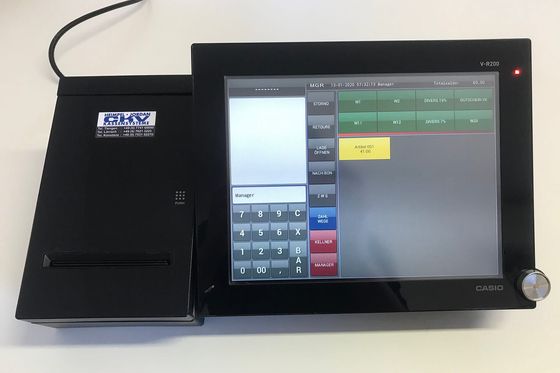
Shops and cafés often have more devices online than offices: the till tablet, the card terminal, the receipt printer, the music system, the camera above the door. Many rarely get updates.
Keep these off the guest Wi-Fi, which is easiest with a router that offers a separate guest network. Change default passwords on cameras and printers. Ask your till provider how updates are delivered and who is responsible. Subscription tills usually handle it. Purchased systems may not.
When it happens
The first hours count. Knowing who to call saves time, and so does knowing what not to do: don’t pay a ransom on impulse, don’t wipe and reinstall machines before someone has looked at them, and don’t keep using an email account you suspect is compromised.
- DisconnectTake affected devices off the network but leave them on to preserve evidence.
- CallYour IT provider, the Digitalagentur Berlin cyber hotline, or the police ZAC unit on 030 4664-972972.
- Tell your bankImmediately if suspicious transfers went out. Recalls sometimes still work.
- Check data protectionIf personal data is affected, notify Berlin's data protection authority within 72 hours.
- Write it downWhat happened when, which emails, which devices. You will need it for police, insurer and authority.
The Central Cybercrime Contact Point (ZAC) at the Berlin State Criminal Police Office serves businesses and public bodies. It helps assess the situation and file a complaint. The Digitalagentur Berlin runs a cyber hotline on weekdays from 9:00 to 17:00 with first aid and referrals to specialists. Both are free.
The CyberRisikoCheck as a starting point
If you don’t know where you stand, consider the CyberRisikoCheck under the DIN SPEC 27076 standard. The BSI describes it as a one-to-two-hour interview in which an IT provider checks 27 requirements across six areas, followed by a report with recommendations.
The BSI itself says frameworks like IT-Grundschutz or ISO/IEC 27001 are not ideally suited to companies with fewer than 50 employees. The check was designed for that gap. It is a status assessment, not a certification. Ask the provider for a fixed price and whether they have run DIN SPEC 27076 checks before.
Cost, insurance, funding
Most items on the list cost little money and some time. Two-factor login is free on major services. Password managers are cheap subscriptions, backup drives a one-off purchase.
Cyber insurance can cover forensics and recovery, sometimes business interruption. It doesn’t replace the basics. Policies tie payouts to obligations, and if you skipped agreed minimum measures, a claim can be cut. Read what the policy requires before signing, and put it in place first.
Bigger projects, such as a full IT security concept, can be financed with KfW’s ERP digitalisation loan. Antivirus and firewalls fall under the basic level, a comprehensive security concept under level 2 with a 3 percent grant. See our overview of digitalisation grants in Berlin, and for free orientation, the services in free business advice in Berlin.
If you run customer data through your own software or a web app with logins, you need security testing at application level. A team specialising in cyber security can handle that. Tills come with their own rules, covered in POS systems and the TSE.
Your next step: switch on two-factor login for your email and your online banking today. Together that takes about fifteen minutes and closes the most common way in. Then print the emergency sheet.
Questions people ask
Does NIS2 apply to my small company in Germany?
Usually not directly. Under section 28 of the BSI Act, an 'important entity' operates in one of the listed sectors and has at least 50 employees or more than 10 million euros in both turnover and balance sheet. The BSI offers an online check to confirm.
What does a CyberRisikoCheck cost?
The IT provider sets the price. The BSI supplies the software free of charge to providers, and the interview takes one to two hours. Ask for a fixed price up front.
Do I have to report a breach?
If personal data is affected, generally yes: within 72 hours to the data protection authority, under Article 33 GDPR. In Berlin that is the Berlin Commissioner for Data Protection and Freedom of Information.
Is antivirus software enough?
No. Antivirus does not stop stolen passwords or a fake payment request sent from a hijacked mailbox. Two-factor login, call-backs on changed bank details and alert staff do.